

Money
Debtors
Find members with overdue dues balances, view overdue totals by month, and send reminders or record payments.
What this screen is for
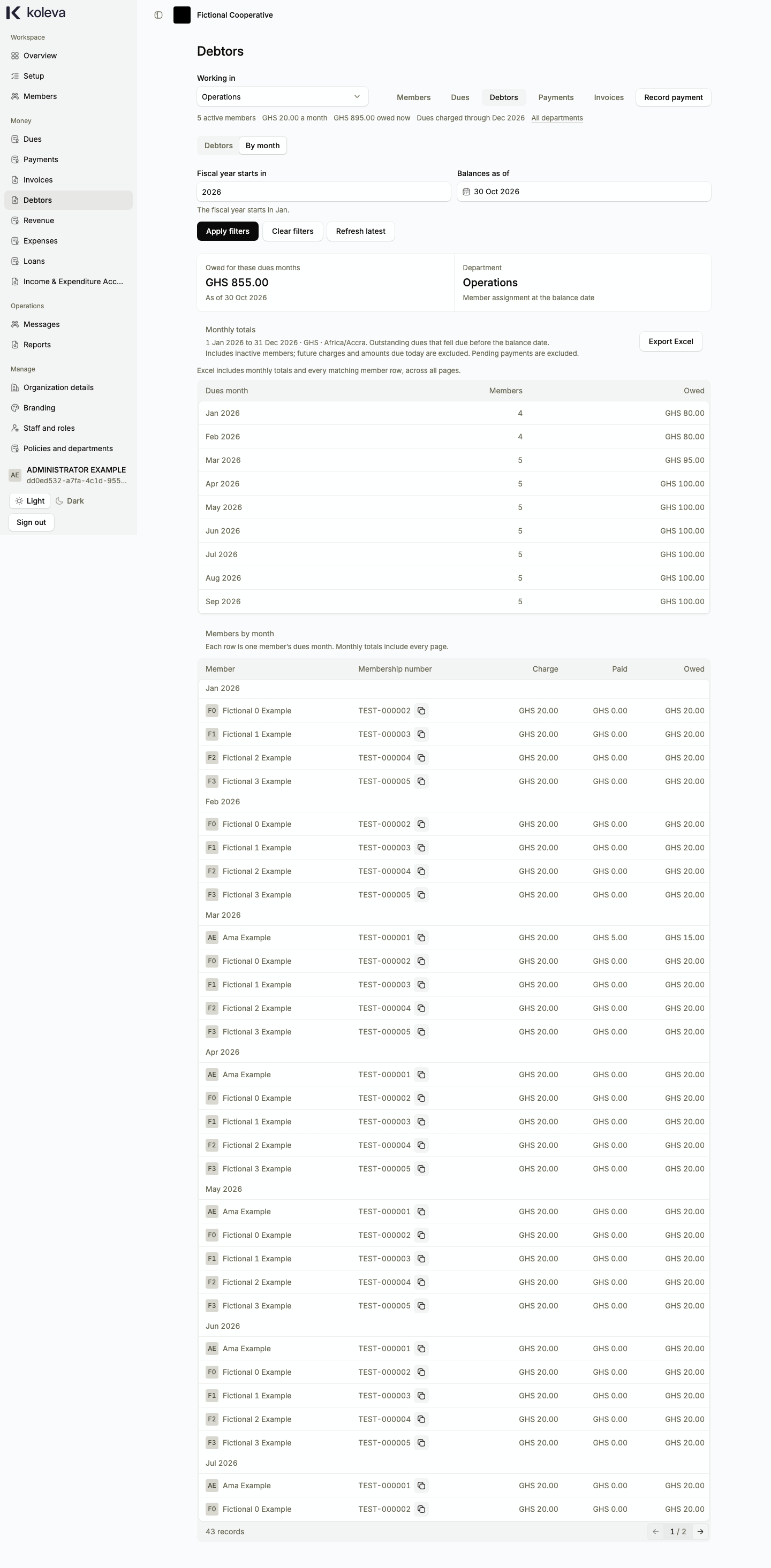
The Debtors screen lists only members who have unpaid dues whose due date has already passed as of your selected balance date. You can inspect balances by member or switch to the By month view to see overdue totals for each month of the fiscal year in the selected department.
Before you start
- Your organization must have approved charging rules and monthly dues rates so that monthly charges exist.
- Choose the department you want to review in the department bar at the top of the page.
Step by step
- Select Debtors in the sidebar and choose a department in the Working in bar.
- On the Debtors tab, choose a Balances as of date and optional search filters, then select Search to view every member who owes overdue dues.
- Select Record payment on a member’s row to go straight to the payment form for that member, or select Statement to see their month-by-month breakdown.
- Tick one or more members (or select all matching members across pages) and select Prepare reminders to open Messages with those members preselected.
- Switch to the By month tab to group overdue balances by covered month for your selected fiscal year and balance date.
- Select Export Excel (or Export to Excel) to prepare a downloadable spreadsheet of the matching debtor records under Reports.
Common questions
Why is a member with unpaid dues for this month not listed in Debtors?
Debtors includes only charges whose due date is strictly before your selected Balances as of date. Charges due today or in future months appear under Dues, not Debtors.
Does Debtors include inactive or archived members?
Yes, in the By month department report, unpaid overdue charges from earlier months remain visible even if a member later became inactive, so your historical overdue totals stay complete.
Does a payment awaiting approval remove a member from Debtors?
No. A member’s balance decreases only after the payment is posted (either approved by an Administrator, or recorded directly if your organization turned off payment approval).