

Operations
Reports and exports
Prepare and download Member Directory and Financial Workbook spreadsheets.
What this screen is for
The Reports screen prepares downloadable Excel (.xlsx) spreadsheets for your Member directory and Financial workbook. Each export captures a consistent snapshot of your authorized records and lets you track preparation progress, retry interrupted jobs, and download completed files from My exports.
Before you start
- Your organization must be active with an approved organization policy and membership setup.
- You need the export permission for the workbook type you want to prepare. Only Administrators and Accountants with financial export permission can prepare a Financial workbook.
Step by step
- Select Reports in the sidebar.
- To export your member list, stay on the Member directory tab, choose either Use filters (to filter by department, status, or search text) or All authorized records, and select Prepare Excel.
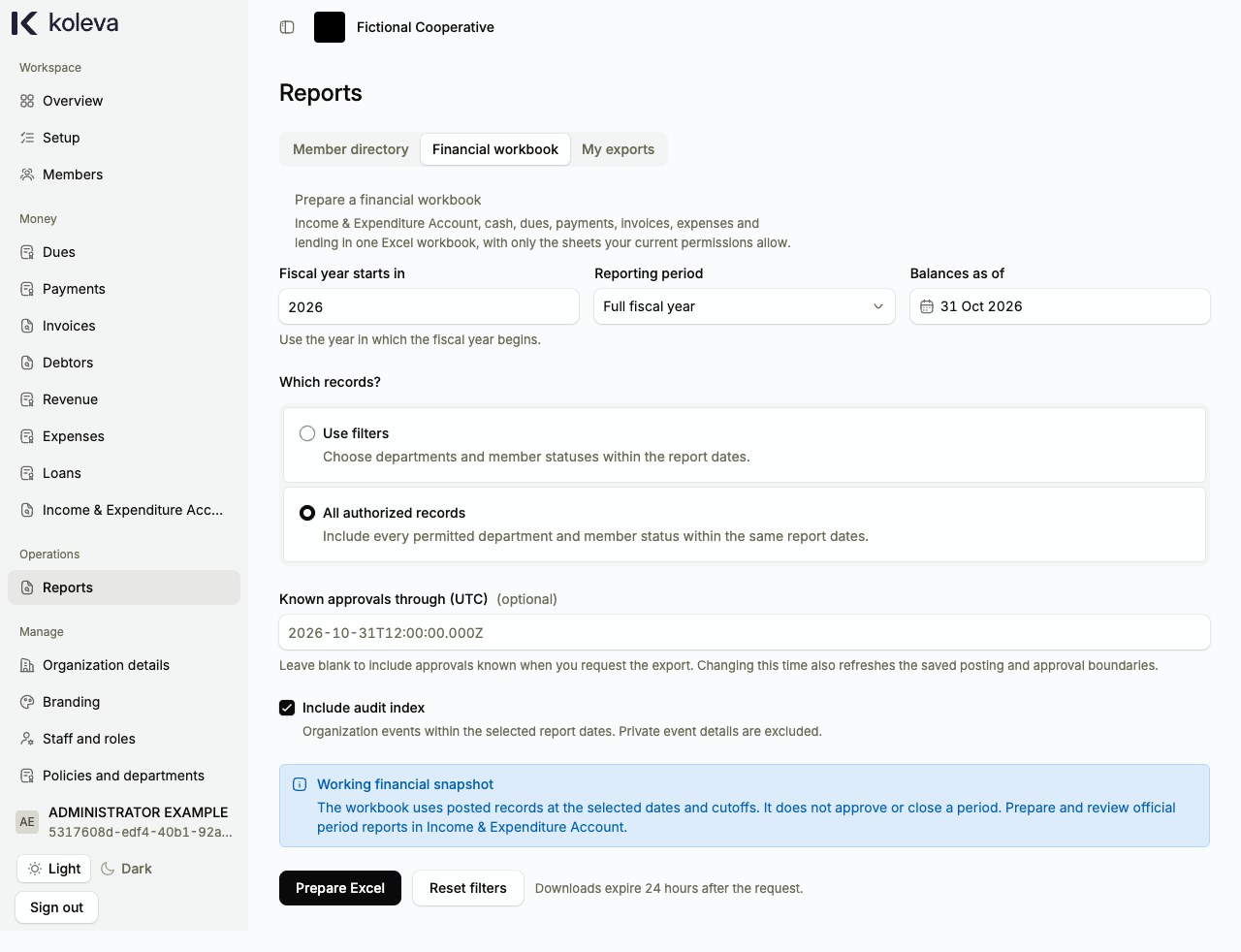
- To export accounting and money records, select the Financial workbook tab, choose the Fiscal year starts in year, Reporting period, and Balances as of date, choose Use filters or All authorized records, and optionally tick Include audit index. Select Prepare Excel.
- Keep the export detail view open while Koleva prepares your workbook in steps, or return to it anytime from the My exports tab.
- When the export status reaches Ready, select the download link to save the
.xlsxfile to your computer or phone before the 24-hour download window expires.
Common questions
Does preparing a Financial workbook close our accounting period?
No. A Financial workbook is a working spreadsheet snapshot of your posted records at the dates you selected. Official period review, cash verification, and period closing take place on the Income & Expenditure Account screen.
Can another staff member download a file I prepared in My exports?
No. Every export job in My exports belongs to the staff account that started it, and Koleva rechecks your current permissions and two-step verification before starting the download.