

Money
Loans
Configure your credit policy, prepare loans, record disbursements and repayments, and manage borrower balances.
What this screen is for
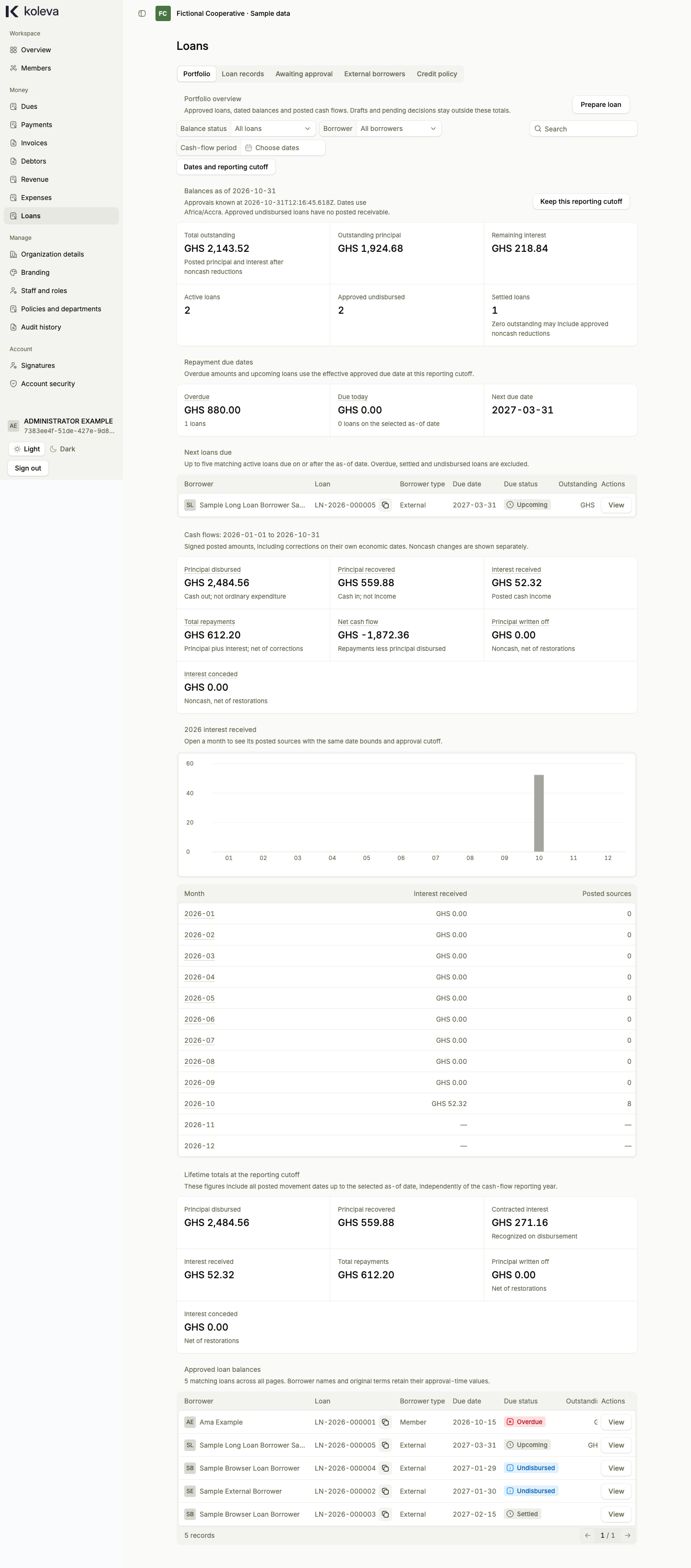
The Loans screen manages your organization’s lending portfolio from start to finish. It keeps credit approval separate from actual cash disbursement, tracks principal and interest repayments, supports external borrowers as well as members, and records due-date amendments and noncash write-offs.
Before you start
- You need an organization-wide Administrator or Accountant role with two-step verification enabled.
- Lending starts turned off. You must propose and approve a Credit policy on the Credit policy tab (choosing eligible borrower types, interest rules, limits, and accounts) before preparing any loan.
- For an external borrower who is not in your member directory, add their profile on the External borrowers tab first.
Step by step
- Select Loans in the sidebar. If lending is not configured yet, open the Credit policy tab, set your lending rules and accounts, and have an Administrator approve the policy.
- Select Prepare loan to propose a new loan. Choose the borrower (a member in a department or an external borrower), enter the principal amount, interest rate, due date, and funding account, and submit the loan terms for approval.
- An Administrator opens Loans -> Awaiting approval and approves the loan terms. This assigns a
LNloan reference without moving cash yet. - Once you actually pay out the money to the borrower, open the approved loan (or select Record cash), choose Disbursement, enter the actual date, funding account, and payment method, attach supporting evidence, and submit for approval.
- When the borrower makes a payment, record a Repayment against the disbursed loan, select an authorized signatory, and submit it for approval. Approving a repayment updates the remaining principal and interest and issues an official Portable Document Format (PDF) receipt.
- Use the Amend due date or Noncash adjustment actions on an active loan when you need to submit a reviewed schedule change or write-off.
Common questions
Does approving loan terms immediately create a debt or reduce our cash?
No. Approving loan terms records the agreed credit contract as Approved undisbursed. The borrower’s balance and your cash outflow are recorded only when you submit and approve the actual Disbursement with evidence.
Can borrowers still repay existing loans if we pause new lending?
Yes. If you update your Credit policy to pause new lending, staff cannot prepare or disburse new loans, but you can still record repayments, amendments, and adjustments on loans that were already disbursed.