

Money
Invoices
Prepare, approve, issue, replace, and void official member dues invoices.
What this screen is for
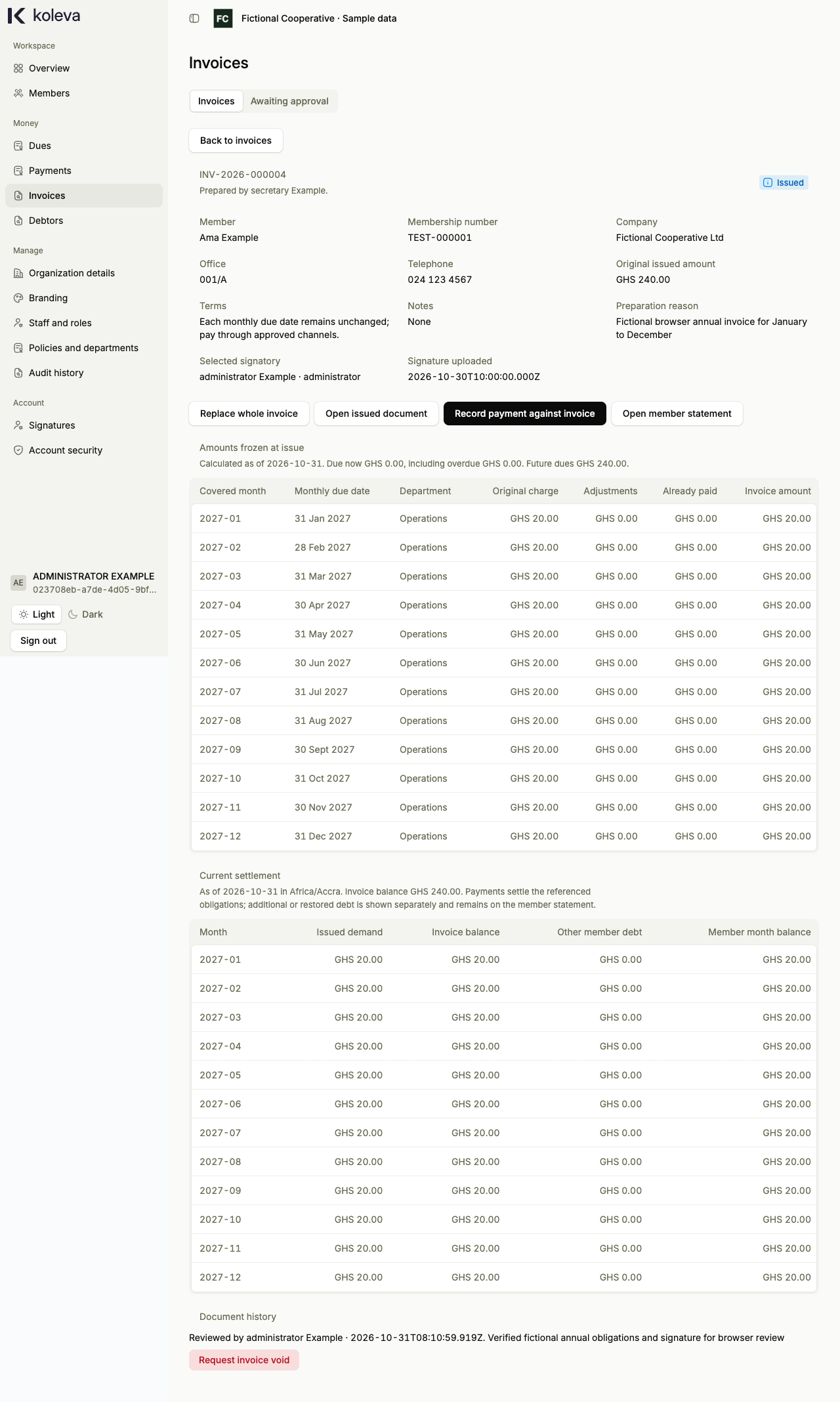
The Invoices screen lets you prepare and issue official payment demands for a member’s monthly dues. Issuing an invoice creates a signed Portable Document Format (PDF) document with your organization’s name and logo, tracks how much of that invoice has been paid, and keeps a complete history of replacements and voids.
Before you start
- The member must have generated monthly dues for the months you want to invoice.
- Your organization must have an uploaded logo under Branding and at least one authorized signatory under Signatures.
Step by step
- Select Invoices in the sidebar, then select Prepare invoice (or select Prepare annual invoice from a member’s dues statement).
- In Step 1, choose the member’s Department and Member name, then tick the months to include (up to 60 months). Select Continue.
- In Step 2, enter the payment terms, optional notes, preparation reason, and authorized signatory, then select Continue.
- In Step 3, review the invoice summary and submit it for Administrator approval.
- An Administrator opens Invoices -> Awaiting approval, reviews the submitted invoice, and approves it to issue the official
INVdocument number and PDF. - When the member pays, open the issued invoice and select Record payment against invoice to prefill the remaining unpaid months from that invoice in the payment form.
Common questions
Does issuing an invoice change a member’s balance or record income?
No. An invoice is an official request for payment of existing monthly dues. It does not create new charges, change monthly due dates, or count as money received until you record and post an actual payment.
How do I change an invoice that has already been issued?
Issued invoices cannot be edited silently. Open the invoice and select Replace whole invoice to create a replacement invoice that includes all lines of the earlier invoice plus any additional months, or select Request invoice void to cancel the demand after Administrator review.