

Money
Monthly dues
View automatic monthly dues by department, configure charging rules, and adjust or waive individual charges.
What this screen is for
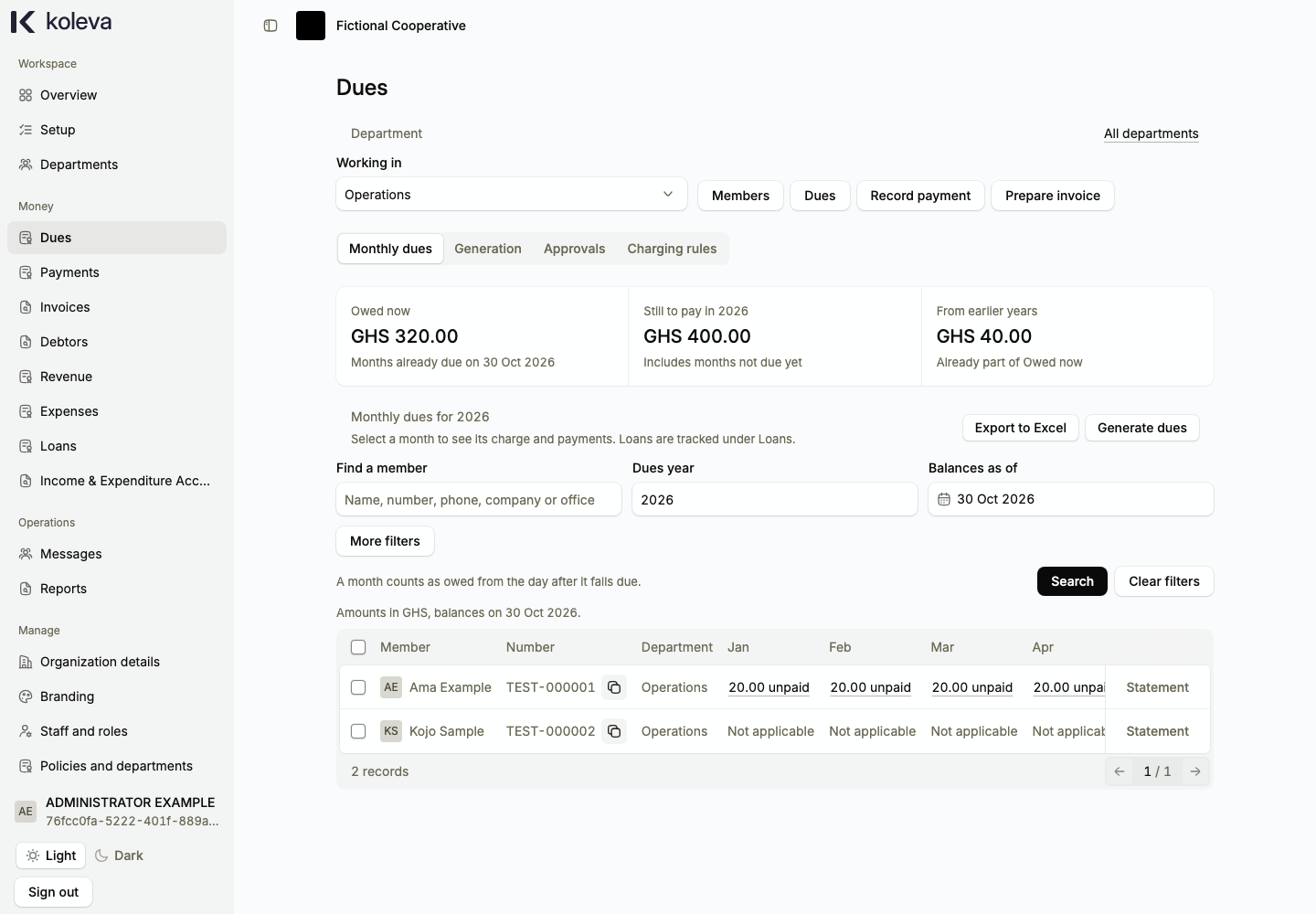
The Dues screen shows what each member in your selected department is charged for each month of the year, what is owed now, and what is still to pay in the year. Once your charging rules and department rates are approved, Koleva calculates monthly dues automatically for every active member from their joining or dues start month.
Before you start
- Your organization must have an approved organization policy, member numbering, at least one department, and an approved monthly dues rate under Members -> Dues rates.
- An Administrator or Accountant must submit and approve your Charging rules (which day of the month dues fall due and whether suspended members are charged).
Step by step
- Select Dues in the sidebar and choose the department you want to inspect.
- If you have not set up charging rules yet, select the Charging rules tab, choose the monthly due day and suspension rule, and save or submit the rules for approval.
- On the Monthly dues tab, choose the Dues year and Balances as of date, then select Search to see each member’s monthly charges from January to December.
- Select Statement on a member’s row to view their full history across years, prepare an annual invoice, or record a payment.
- To waive or adjust a specific month’s charge for a member, select that month’s amount in the table, enter the proposed adjustment and reason, and submit it for Administrator approval.
- Select the Approvals tab to review and approve or reject pending dues adjustments and charging rule changes.
Common questions
Do I need to run a monthly batch to charge members?
No. Koleva adds each eligible month’s charge automatically once your charging rules and dues rates are approved. If an earlier month is missing because no rate covered that date, add the historical rate under Members -> Dues rates and the missing months appear automatically.
When does a monthly charge count as overdue?
A charge counts as owed (in arrears) starting the day after its monthly due date. Future months in the current or next year can be paid in advance, and they do not count as overdue before their due date.
Does waiving a charge record a cash payment?
No. An approved waiver reduces the amount the member owes for that month without recording cash received or issuing a payment receipt.